



The station is offline
Open Desk and check the selected station. If the status is unavailable, retry before treating it as Offline. If you have server-control permission, check whether the station needs to be started. Stop takes the station off air; restart can interrupt sound.
The encoder will not connect
Open Broadcast > Encoders. Compare every field with the current values, including the Server Type shown there. Use your own DJ credentials when signed in as a DJ. After changing a password, update the encoder too.
The station is on air but silent
Listen to a public stream link. Check the audio input and level in your encoder. For AutoDJ, check that the playlist is enabled and has tracks. Read programming warnings; an unavailable remote source can send silence.
An upload fails
Check Storage details on Desk and read the upload result. Stay within the remaining account storage and file limits shown in the interface. A failed upload has not added the track to a playlist.
A page, number or report is unavailable
Try the page’s Retry action. Missing data is not a zero count. Check the report period. If a permission is missing, ask the owner. For station logs, open Broadcast > Logs.
These screenshots use sample data and English labels; what you see may differ with your language and permissions.
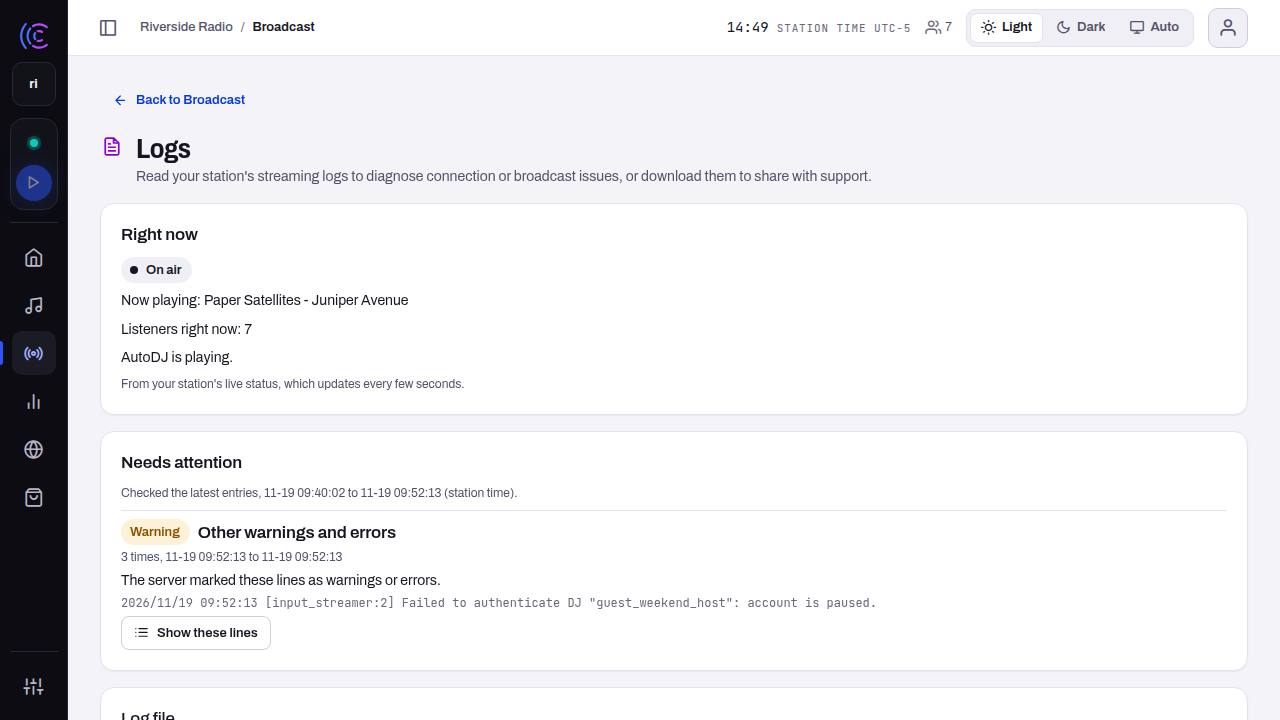 Logs separates the current on-air status from warnings and errors that need attention.
Contact support
Open Support centre in the account menu. Include the page, station, local time and time zone, exact error and what you tried. Send a screenshot with credentials and private details removed.

